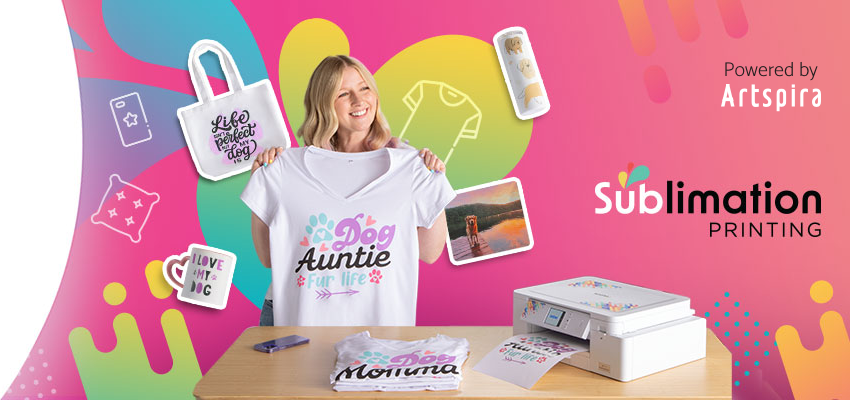
Unleash your
inner creativity
The Brother Sublimation Printer:
putting the power of connected
customization into your hands.

Brother RSP1 Refurbished Sublimation Printer
- Model #:
- RSP1 RSP1Brother
The Brother RSP1 Refurbished Sublimation Printer helps you design vibrant patterns, motifs and decorations that can be printed on sublimation paper and heat transferred to a variety of materials like mugs, coasters, totes, tees, and much more. Use it with your favorite creative software or ... See full product description
 In Stock and Ready to Ship

Colour
Sublimation printer

Accessories
CMYK sublimation ink & paper

Wireless
Connect wirelessly to the Artspira app via Wi-Fi
Product Description
The Brother RSP1 Refurbished Sublimation Printer is ideal for any maker, artist, or designer who wants on-demand printing of customized projects whether for their hobby or business .
It allows you to print high-quality, vivid colour designs that you can heat transfer to a variety of materials like mugs, t-shirts, banners, or anything you want to add a personal touch to! Use the creative software of your choice or Artspira(1) Brother’s free and user-friendly editing and design app to create one-of-a-kind vibrant designs, patterns, motifs, and more.
It comes with everything you need to get started right out of the box including a full-size set of Brother Genuine sublimation ink in cyan, magenta, yellow and black plus a couple of sheets of sublimation paper, all of which are engineered to work seamlessly with the SP1 for high-quality results you can count on.
(1) Artspira App and a wireless connection are required for machine operation.
To learn more about the 'Brother RSP1 Refurbished Sublimation Printer', download the brochure here.
Main Features
- ADD YOUR PERSONAL TOUCH. Customize a wide variety of items, including tees, totes, coasters, phone cases, mugs, home décor and more, use the Brother Sublimation Printer to easily customize all your DIY projects with heat transfer designs!
- CREATE ENDLESS DESIGNS. Use your favourite design software or download Artspira, Brother’s free design and editing app that gives you access to over 100 designs, patterns, motifs and more that you can edit and save.
- USER-FRIENDLY. Producing custom items is easy! Simply create your design with your favourite creative software or Artspira, transfer it, print it, heat press it to your item of choice, and you’re done!
- FAST, ON-DEMAND PRINTING. No more waiting for third-party printing. The SP1 makes at-home or in-studio printing quick, easy and ready when you need it.
- READY TO GO RIGHT OUT OF THE BOX. Comes with sublimation ink and paper so you can get started right away.
- BROTHER GENUINE SUBLIMATION INK. Includes a full-size set of sublimation ink in cyan, yellow, magenta and black for high-quality output every time.
- BROTHER GENUINE SUBLIMATION PAPER. Uses high-quality paper for excellent ink saturation and outstanding results
- WI-FI CONNECTED. Connect wirelessly to the Artspira Wireless Creative App.
- BROTHER AT YOUR SIDE SUPPORT.
For business or pleasure, customize like a boss
If you’re an artist, maker, or designer, the Brother Sublimation Printer will help you transform your ideas into reality quickly & easily.
The Brother Sublimation Printer: Create like never before
The sublimation printing advantage
This digital process uses sublimation inks to print designs on specialized paper that you can transfer to a variety of items with a heat press. The result: high-quality, richly pigmented, professional designs that get noticed.
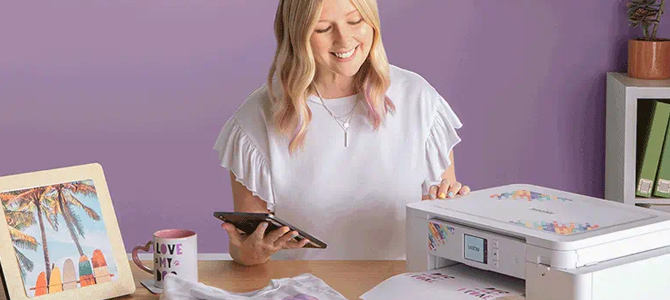
Big ideas, small footprint
With a convenient compact footprint that fits on your desktop, you don’t need a big space to bring your big ideas to life. Small but mighty, it prints designs up to 216 mm x 279 mm.
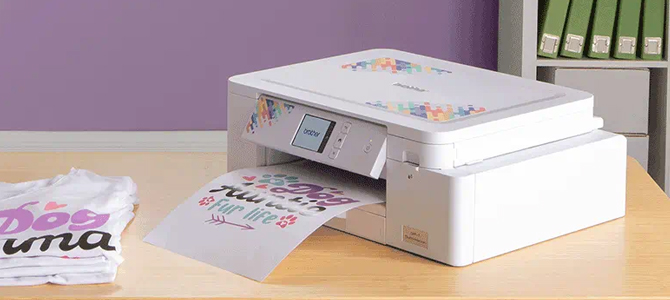
Your designs are going places!
Perfect for applying on polyester materials like shirts, hats, and jackets, or on polymer-coated items like mugs, phone cases and coasters, making it easy to create customized accessories, clothing, home décor, and more.
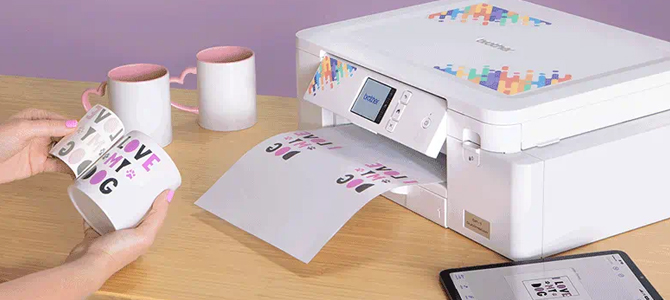
Sublimate without the wait
Say goodbye to the long lead times of third-party providers and say hello to the convenience and independence of on-demand sublimation printing that lets you create items at home in a fraction of the time.
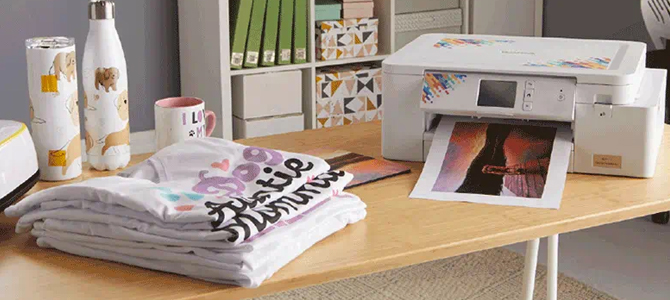
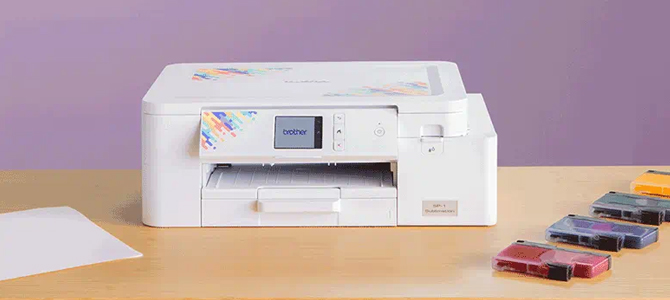
Get started straight out of the box
With in-box black, cyan, magenta, and yellow sublimation inks, plus letter-size sublimation paper, you’ll be set up and ready to create in no time.

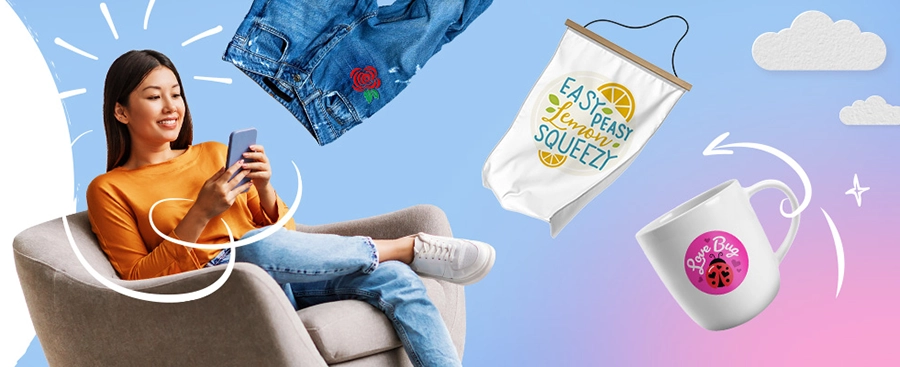
Make it your own
Perfect for crafters of all skill levels, edit, create, and design easily with the Artspira design platform, only from Brother.
Download the free Artspira app


Additional download and wireless connection required.
App compatibility may vary based on operating system.
Connectivity
| Standard Interface(s) | Gigabit ethernet,Hi-Speed USB 2.0,Wi-Fi Direct |
| Wireless connection capability | Yes |
Carton Contents
| Package dimensions (W" x D" x H") | 6.3" x 17.1" x 13.5" |
| Unit Weight | 15.4 lbs. |
| Package weight | 17.4 lbs. |
| Other Included Accessories | Cyan, magenta, yellow and black sublimation ink,Sublimation paper |
| Carton Contents | SP1 Sublimation Printer, SP01CS Cyan Sublimation Ink, SP01YS Yellow Sublimation Ink, SP01MS Magenta Sublimation Ink, SP01BKS Black Sublimation Ink, SP01PL Sublimation paper (Letter). |
| Unit Dimensions (W" x D" x H") | 13.5" x 17.1" x 6.3" |
| Intelligent Stitch Regulator | No |
Software Features
| Augmented reality (AR) functionality | Yes |
| Number of creations (cloud storage) | 20 |
| Editing tools | Cutting (line art) image conversion,10 cutting fonts,11 embroidery design templates,10 embroidery fonts,10 printing fonts |
| Compatible with Artspira | No |
Other
| Unit Dimensions (W" x D" x H") | 13.5" x 17.1" x 6.3" |
| Warranty | 2-Year Limited Warranty |
| Unit Weight | 15.4 lbs. |
| PES file format embroidery stitch line detection | No |
| PES file format import capability | No |
Hardware Features
| Print Colour | Colour |
| LCD Display | 2.7" Touchscreen |
| Standard Paper Capacity | 100-Sheet Input Capacity |
| 24” scan function | No |
| Operating System (Compatibility) | Mac® OS X 11.x,Mac® OS X 12.x,Mac® OS X 13.x,Mac® OS X 14.x,Windows® 10,Windows® 11 |
| Print Resolution (max. dpi) | Up to 1200 x 2400 dpi |
Basic Features
| Automatic Thread Cutter | No |
| Cutting designs | 500 |
| Drawing tool | 1 embroidery colour pattern |
Supplies & Accessories
Brother SP01CS Genuine Cyan Sublimation Ink
- Item #:
- SP01CS
Brother SP01CS Genuine Cyan Sublimation Ink
- Item #:
- SP01CS
Brother SP01MS Genuine Magenta Sublimation Ink
- Item #:
- SP01MS
Brother SP01MS Genuine Magenta Sublimation Ink
- Item #:
- SP01MS
Brother SP01PL Genuine Sublimation Paper
- Item #:
- SP01PL
Brother SP01PL Genuine Sublimation Paper
- Item #:
- SP01PL
Brother SP01YS Genuine Yellow Sublimation Ink
- Item #:
- SP01YS
Brother SP01YS Genuine Yellow Sublimation Ink
- Item #:
- SP01YS
Brother SP01BKS Genuine Black Sublimation Ink
- Item #:
- SP01BKS
Brother SP01BKS Genuine Black Sublimation Ink
- Item #:
- SP01BKS
Downloads & Documents
Downloads & Drivers
Get Downloads & Drivers for this Product from the Brother Solutions Centre
Find Downloads & Drivers Download iPrint&Scan App
Manuals & Documents
Get Downloads & Drivers for this Product from the Brother Solutions Centre
Download Manuals & DocumentsProduct Brochure
Everything you want to know about your product is available in PDF.
Download Product Brochure


Downloads & Documents
Downloads & Drivers
Get Downloads & Drivers for this Product from the Brother Solutions Centre
Find Downloads & DriversDownload iPrint&Scan AppManuals & Documents
Get Downloads & Drivers for this Product from the Brother Solutions Centre
Download Manuals & DocumentsProduct Brochure
Everything you want to know about your product is available in PDF.
Download Product BrochureWarranty
2-Year Limited Warranty
Return Policy
You can return any Brother machine purchased on brother.ca within 30 days of purchase as long as it’s unopened, intact and has a valid Return Material Authorization (RMA) number.* Contact us so that we can assess the best solution for you, either by providing you with a different machine, helping with the setup or issuing an RMA. Any shipping costs are at your expense. However, if we determine that the machine is defective—or if we’re otherwise responsible—we’ll be happy to arrange a pickup at our expense. Once we’ve inspected the return, we’ll refund your credit card.
If your machine was not purchased from brother.ca, simply let us know and we’ll do our best to find a solution.
To contact us through Ask a Question click here: https://support.brother.ca/app/ask








 Your product has been added to your cart